
On your server
Agent X runs on your Windows PC or your own server. Your customers, calls and their transcripts, WhatsApp messages, files and apps are kept there.

Talk to your agents like colleagues. They call your customers, book the meeting and write it all down, from your own server.
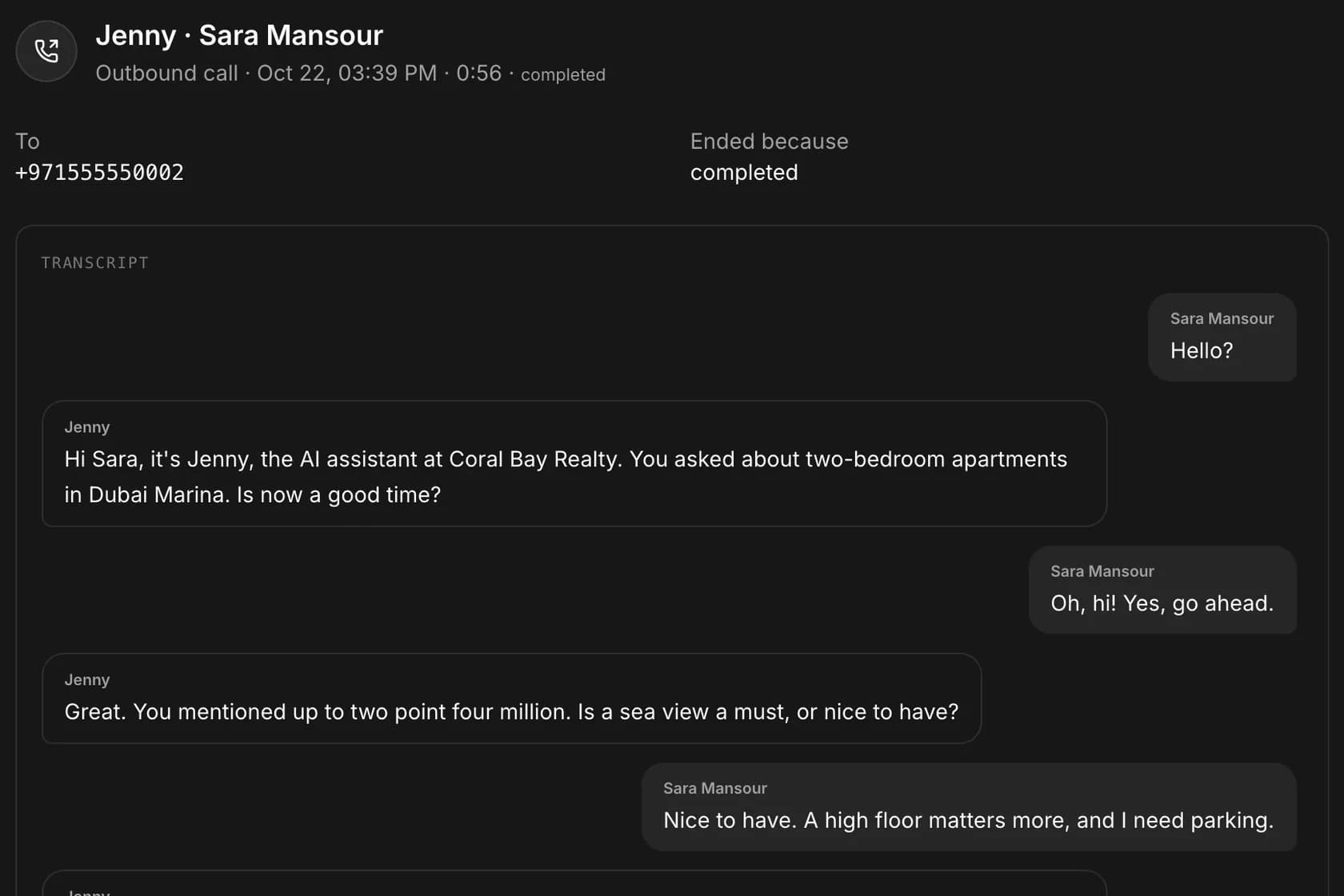
Jenny calls Sara Mansour
Coral Bay Realty
Sara
Hello?
Jenny (AI)
Hi Sara, it's Jenny, the AI assistant at Coral Bay Realty. You asked about two-bedroom apartments in Dubai Marina. Is now a good time?
What the call gets done
Jenny books a viewing
A sample call with AI voices. The people and the company are fictional.
Say what you need. Agent X answers from what it knows and hands the work to the right agent.
Press Talk and speak, in your own language. Typing works too.
Your customers, every call and message, and what each agent is doing.
Call lists, viewings and follow-ups go to the right agent when you say so.
“Agent X, who should we call back today?”
Plan the day by voice
Your agents call, write and follow up. You make the decisions.
Agent X reads yesterday's calls and messages and lines up who to call back today.
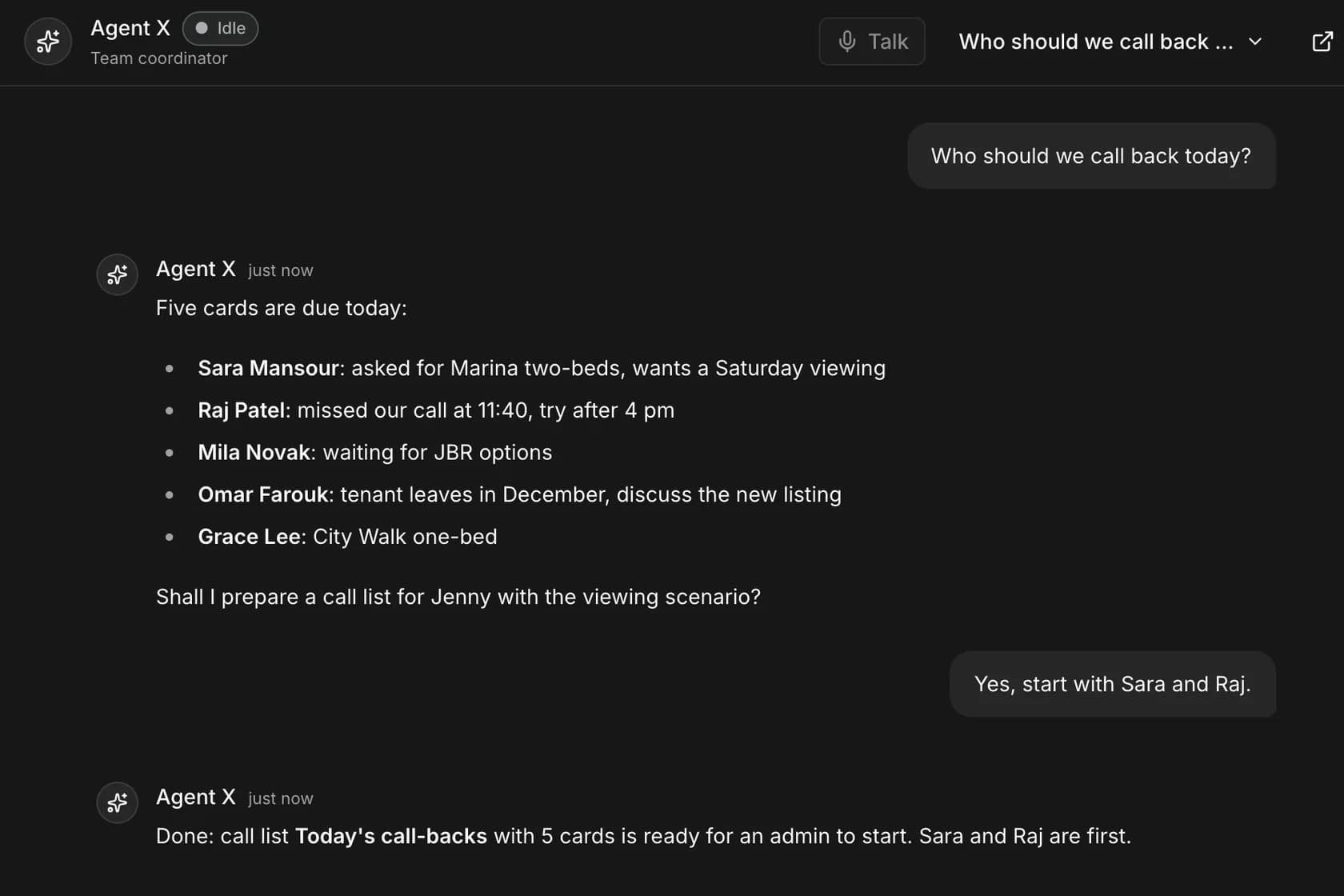
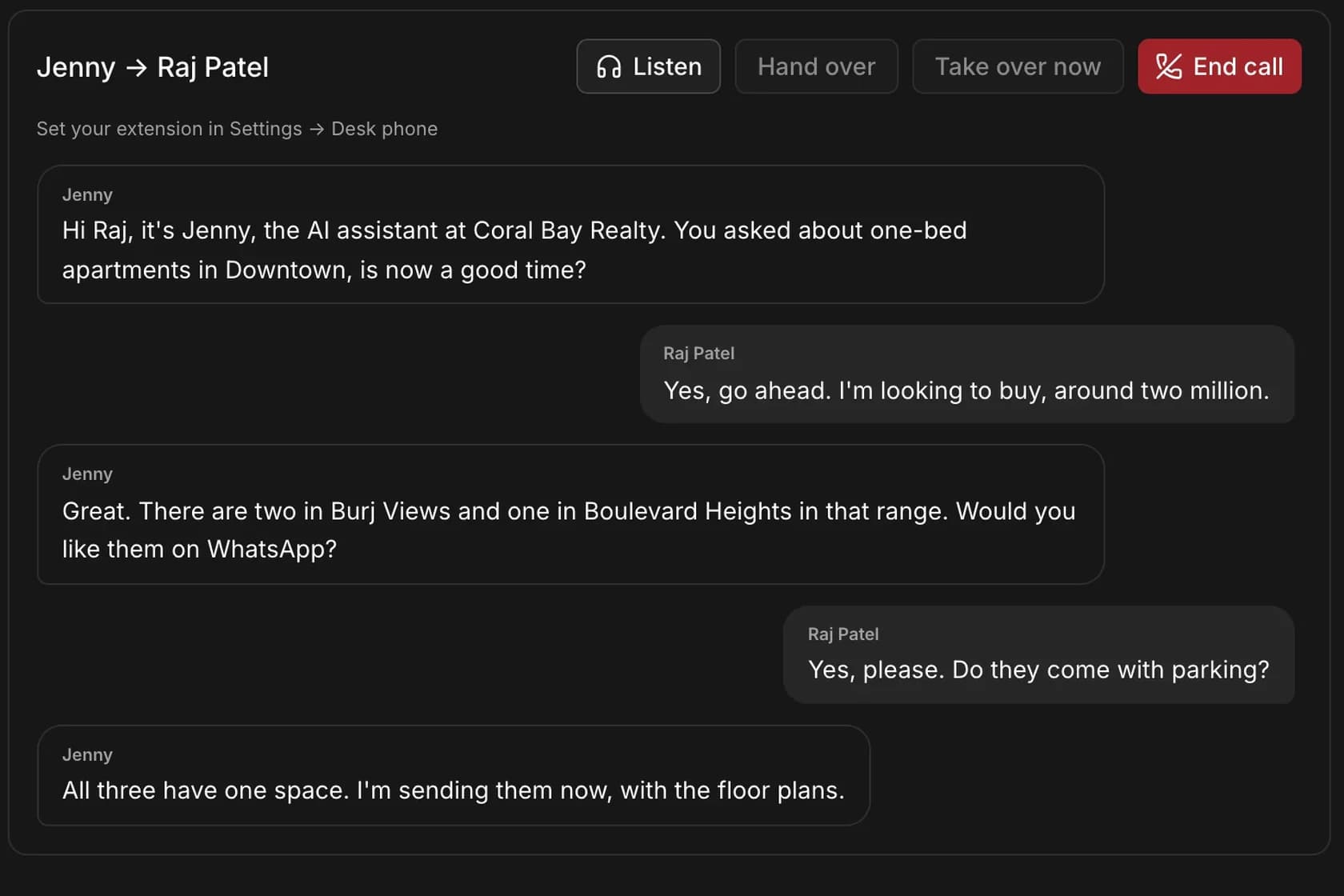
Jenny calls your list on your office line, in the customer's language, within your calling hours.
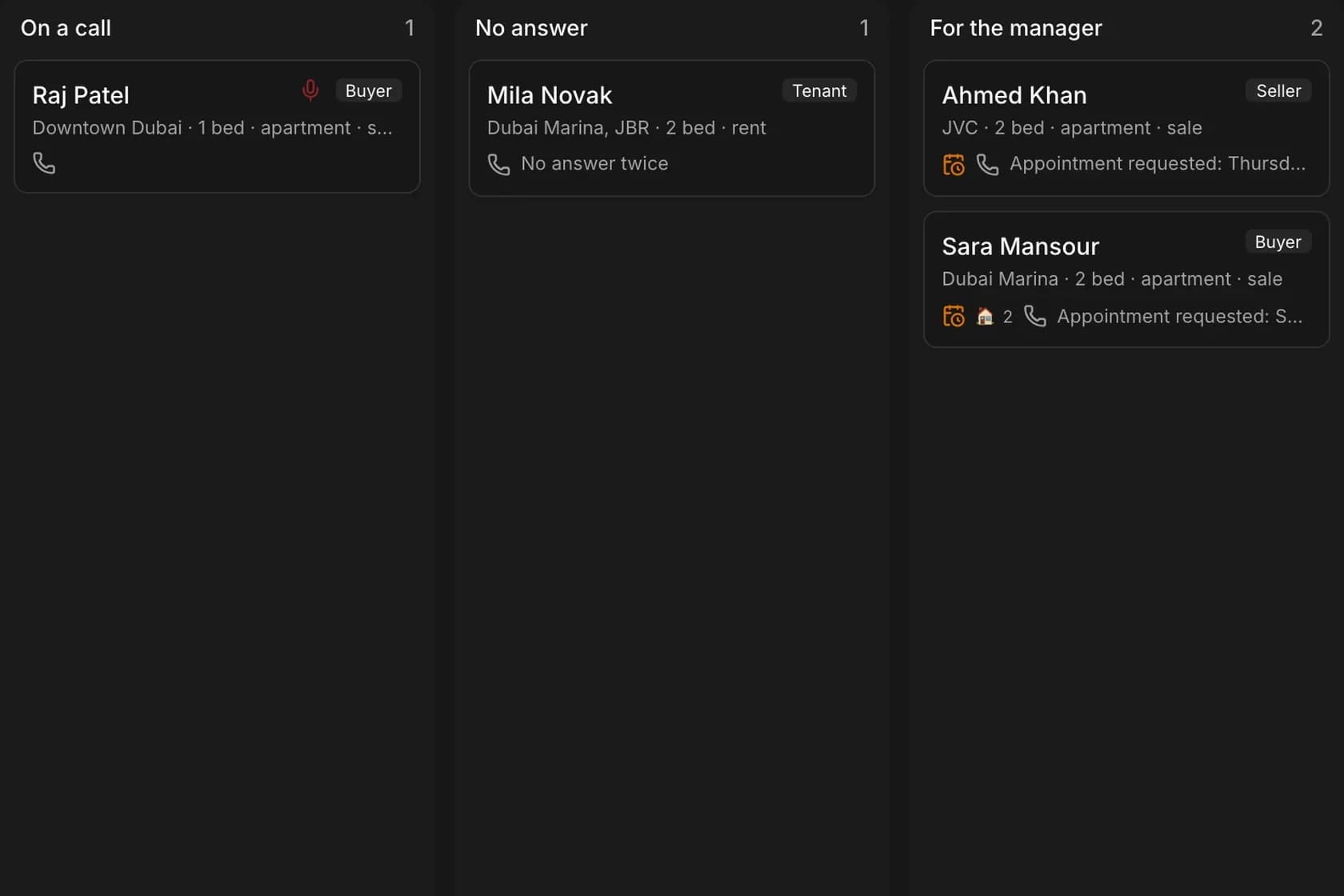
The transcript, what the customer wants and the next step land on their card.
A viewing request waits for you; a hot lead goes to a colleague in one click.
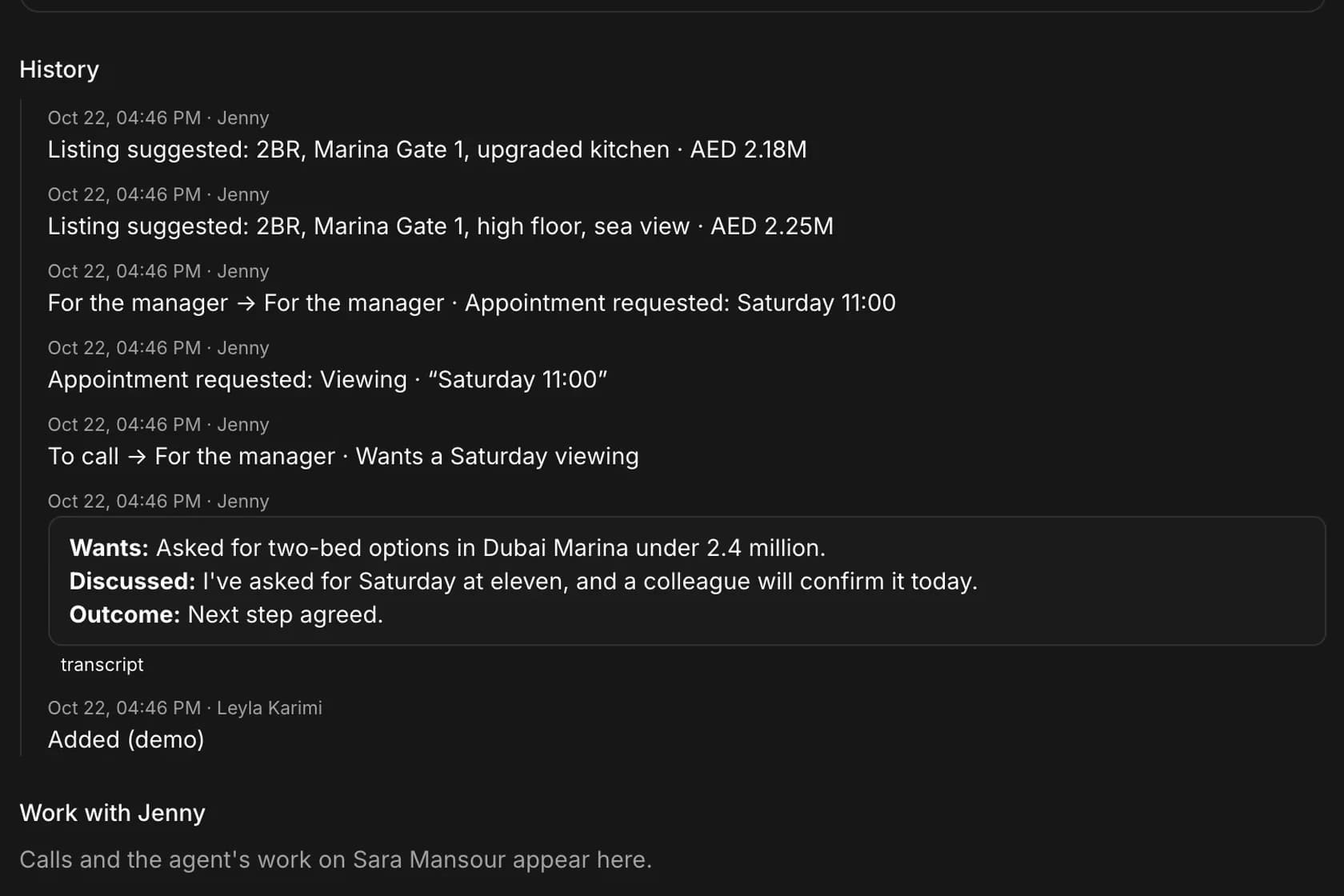
Every customer, where they stand and what happens next, moved by the agents after each call.
The same agents and screens in your own words. Real estate first; recruiting, clinics and any business next.
Sara Mansour
Coral Bay Realty
Jenny calls buyers and landlords
Describe what you keep track of. Agent X proposes the app, you publish it, and your team has it in the side panel. It is your data: it stays when Agent X updates.
For example, a manager asks for a payroll tracker; Agent X proposes a Payroll app with five fields; once it is published, Payroll appears in the side panel with one row per person and a monthly total.
Chat with Agent X
You
Build me a payroll tracker for our team: base salary, bonus, deductions and net pay.
Agent X
Here is a Payroll app: one row per person, net pay worked out for you, and a monthly total.
Payroll new app
Payroll October 2026 · AED
| Employee | Net pay | |||
|---|---|---|---|---|
| Omar Haddad | 12,900 | |||
| Elif Yılmaz | 9,050 | |||
| James Carter | 16,100 | |||
| Priya Nair | 8,200 | |||
| Monthly total | 46,250 |
From the morning plan to the board at night: the calls, the hand-overs and the notes.
Agent X is installed with you, not in our cloud. Here is what leaves it, and where it goes.
Agent X runs on your Windows PC or your own server. Your customers, calls and their transcripts, WhatsApp messages, files and apps are kept there.
Only what a task needs, and only to what you set up: call audio and transcripts to OpenAI, what the agents work on to Anthropic, each with your own account or key. Calls go through your phone system or WhatsApp, and agents read pages in your office browser.
Which version to update to. With licences, a check-in every 12 hours with counts only: the version, how many users, how many minutes. Never a name, a number or anything said on a call.
Every plan has all sectors, voice, WhatsApp, the office browser and updates. You pay OpenAI and Anthropic directly, at their prices.
One Windows PC
$99a month
Your own server
$299a month
Your own server
$799a month
Servers without internet, an SLA, sector packs made for your business, invoices and bank transfer.
14-day free trial, no card needed. Yearly plans: two months free.
Real calls use OpenAI's realtime voices: they speak naturally and let people interrupt. The samples on this page were voiced for the site. You can listen to any live call and take it over.
Your agents answer in the customer's language, on calls and in messages. The app itself is in English.
Yes: an OpenAI key for calls, and a Claude account or an Anthropic key for the agents. You pay them directly, at their prices; nothing is added on top.
On your Windows PC or your own server. What a task needs goes to the services you connect (your AI providers, your phone system, WhatsApp); OXS receives update checks and, with licences, check-ins with counts only, never what your customers say or write.
Yes: through your phone system (3CX and other SIP systems), or with WhatsApp calls from your own WhatsApp.
Rules differ from country to country, so check with your lawyer. Agent X keeps to the calling hours you set and asks for your legal sign-off before it calls customers.
Choose a plan in the customer portal. Once licences come with the launch, an install without a plan stops working; you can still sign in and export all your data.
Yes. A monthly plan runs to the end of the month you cancel in; your data stays yours.